
Companies using revenue intelligence see 10-15% higher win rates and 25% faster sales cycles than those that don’t. Yet most revenue teams still struggle with fragmented spreadsheets, disconnected CRM reports, and dashboards that display data without driving a single meaningful action.
The problem is not a lack of data. Revenue organizations have more metrics than they know what to do with. The problem is that most dashboards track everything instead of what matters, creating noise that obscures the signals leaders actually need to make confident, in-quarter decisions.
A well-built revenue KPI dashboard fixes this. It connects planning to performance, surfaces the RevOps metrics that correlate with revenue outcomes, and gives every stakeholder the specific insights they need to act. Not react. Act.
This guide will help you build that dashboard. You will learn exactly what a revenue KPI dashboard is and how it differs from a standard sales dashboard. You will get the definitive list of metrics worth tracking, complete with formulas and context. You will walk through an eight-step implementation framework built around role-based design and data governance. And you will see the common mistakes that turn promising dashboards into expensive wallpaper, along with practical strategies to avoid every one of them.
Revenue dashboards should not just report on performance. They should drive it.
What Is a Revenue KPI Dashboard?
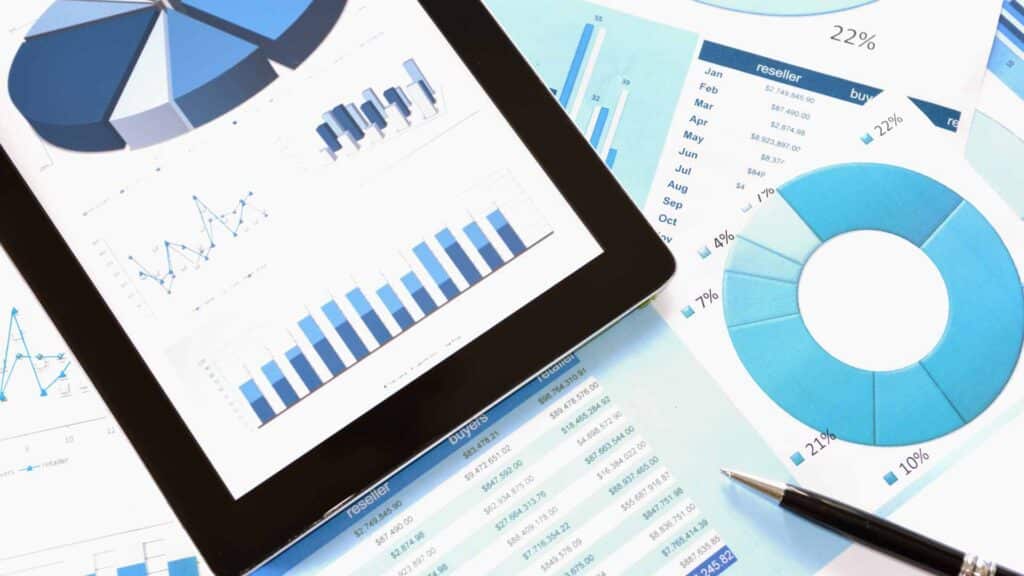
A revenue KPI dashboard is a centralized, visual interface that tracks the key performance indicators directly tied to revenue generation, pipeline health, and sales performance. Unlike generic business dashboards that display any available data, a revenue KPI dashboard focuses specifically on the revenue lifecycle, from pipeline creation through close and retention.
What separates an effective revenue KPI dashboard from standard reporting tools comes down to three things:
- it delivers real-time or near-real-time data updates so leaders can act on current conditions rather than last week’s snapshot
- it provides role-based views, because what a CRO needs to see differs fundamentally from what a frontline sales manager needs
- every metric on the dashboard ties to a business outcome
Revenue dashboards have evolved significantly over the past decade. Static Excel reports gave way to basic BI dashboards, which gave way to CRM-native reporting. Now, AI-powered revenue intelligence platforms consolidate conversion rates, forecast data, and pipeline health into unified views that enable proactive decision-making.
But even with all that technology available, the fundamentals still matter most. As Adam Cornwell, a revenue operations leader, explained on The Go-to-Market Podcast with host Dr. Amy Cook:
“Sometimes it’s just the meat and potatoes. We gotta do X, Y, and Z to get the job done because hey, reps wanna know: How are they doing from an attainment standpoint? How are we doing towards quotas and towards budget? How are we doing with our win rates? Things of that nature… It’s really more of just, let’s make sure we have dashboards and reporting and things of that nature that are available for leadership team members to make their informed decisions.”
The best revenue KPI dashboards prioritize clarity over complexity. They answer the questions revenue teams actually ask every day, not the questions that sound impressive in a board presentation.
Why Revenue KPI Dashboards Matter for Revenue Teams
Revenue KPI dashboards create measurable impact across five areas that directly affect your ability to hit your number.
Alignment Across Revenue Functions
Revenue teams fracture when sales, marketing, and customer success track different metrics with different definitions. A shared revenue KPI dashboard eliminates the “my numbers say something different” conversations that derail pipeline reviews. When every function sees the same data, alignment becomes structural rather than aspirational. For organizations still working through this challenge, standardizing GTM KPIs across teams is a critical first step.
Faster, Data-Driven Decision Making
Gut-feel decision-making costs revenue teams real money. A well-designed dashboard replaces intuition with evidence, enabling leaders to identify problems before they compound. Consider the difference between spotting a pipeline coverage gap six weeks before quarter-end versus discovering it in week twelve. The first scenario allows for targeted intervention. The second produces a missed number and a difficult board conversation.
Improved Forecast Accuracy
When leaders can see real-time pipeline movement, deal progression, and stage conversion trends, their forecasts reflect reality rather than optimism. Fullcast guarantees forecast accuracy within 10% of your number, a commitment rooted in the conviction that connected data produces predictable outcomes. Explore how sales forecasting methodology underpins this accuracy.
Enhanced Quota Attainment
Visibility enables coaching, and coaching enables course correction. When managers can see exactly where each rep stands against quota, which deals are at risk, and where pipeline gaps exist, they can intervene with precision rather than guesswork. Fullcast guarantees improved quota attainment in six months because the link between performance visibility and performance improvement is measurable. Sales performance benchmarking gives those targets real context.
Operational Efficiency
Every hour a RevOps analyst spends pulling data from three systems, reconciling numbers in a spreadsheet, and formatting a report is an hour not spent on strategic analysis. Revenue KPI dashboards eliminate manual reporting and data wrangling, freeing RevOps teams to focus on the work that actually moves revenue forward.
Revenue Dashboard vs. Sales Dashboard: What’s the Difference?
This distinction matters more than most teams realize. When you try to build one dashboard that does both jobs, you end up with something that does neither well.
A sales dashboard focuses on sales team activities and individual or team performance. It tracks calls made, meetings booked, deals in each stage, and individual quota attainment. It is tactical by design, optimized for daily and weekly management of sales execution.
A revenue dashboard takes a broader view, encompassing the entire revenue engine. It tracks pipeline health, forecast accuracy, revenue retention, and cross-functional metrics that span sales, marketing, and customer success. It is strategic by design, optimized for weekly, monthly, and quarterly decision-making.
| Dimension | Sales Dashboard | Revenue Dashboard |
|---|---|---|
| Primary Users | Sales managers, reps | CROs, VPs of Sales, RevOps, Finance |
| Metrics Focus | Activity and individual performance | Revenue outcomes and cross-functional health |
| Time Horizon | Daily/weekly tactical | Weekly/monthly/quarterly strategic |
| Example Metrics | Calls logged, demos completed, individual quota % | Pipeline coverage ratio, forecast accuracy, net revenue retention |
The overlap between these two dashboard types is real but limited. Many sales metrics feed into revenue dashboards, but revenue dashboards add the strategic context that transforms raw activity data into actionable intelligence. A sales dashboard tells you a rep completed 40 calls this week. A revenue dashboard tells you whether those calls are generating enough pipeline to hit next quarter’s number.
The most effective revenue organizations maintain both types, with sales dashboards driving daily execution and revenue dashboards informing strategic decisions about territory design, quota allocation, and resource deployment.
Turn Dashboard Insights Into Revenue Outcomes
Revenue KPI dashboards are only as valuable as the actions they enable. The best dashboards do not just show you what happened. They help you understand why it happened and what to do about it. That is the shift from business intelligence to revenue intelligence, from reactive reporting to proactive orchestration.
Building effective dashboards requires a unified data foundation, standardized metric definitions through standardizing GTM KPIs, and a direct connection between planning and performance across territories, quotas, and actuals.
This is why Fullcast built an end-to-end Revenue Command Center. Instead of juggling multiple tools for planning, performance tracking, and commissions, Fullcast provides a unified platform that connects your entire revenue lifecycle.
Fullcast guarantees improved quota attainment in six months and forecast accuracy within 10% of your number. The question is not whether your team needs better visibility into revenue performance. The question is whether you are willing to keep making decisions without it.
FAQ
1. What is a revenue KPI dashboard?
A revenue KPI dashboard is a centralized visual interface that tracks key performance indicators tied to revenue generation, pipeline health, and sales performance across the entire revenue lifecycle. It provides leadership and revenue teams with the metrics they need to make informed decisions about quotas, win rates, and budget attainment.
2. What makes a revenue KPI dashboard effective?
Effective revenue KPI dashboards typically share several important characteristics: real-time or near-real-time data updates, role-based views tailored to different stakeholders, and metrics that tie directly to business outcomes rather than vanity metrics. The focus should be on actionable insights, not just data display.
3. What’s the difference between a revenue dashboard and a sales dashboard?
Sales dashboards focus on sales team activities and individual rep performance with a tactical, daily or weekly view. Revenue dashboards take a broader strategic approach, encompassing the entire revenue engine including pipeline health, forecast accuracy, and cross-functional metrics across weekly, monthly, and quarterly timeframes.
4. Why do many revenue teams struggle with their current dashboards?
Many revenue teams operate with fragmented spreadsheets, disconnected CRM reports, and dashboards that display data without driving meaningful action. A common challenge isn’t a lack of data but rather tracking everything instead of focusing on what actually matters for revenue outcomes.
5. What are the main benefits of implementing a revenue KPI dashboard?
Revenue KPI dashboards can create impact across several key dimensions:
- Alignment across revenue functions
- Faster data-driven decision making
- Improved forecast accuracy
- Enhanced quota attainment
- Operational efficiency through reduced manual reporting
6. How have revenue dashboards evolved over time?
Revenue dashboards have generally progressed from static Excel reports to basic BI dashboards, then to CRM-native reporting, and now to AI-powered revenue intelligence platforms. Modern solutions consolidate conversion rates, forecast data, and pipeline health into unified views that drive action.
7. How do revenue KPI dashboards improve operational efficiency?
Revenue KPI dashboards eliminate manual reporting and data wrangling by automating data consolidation. This frees RevOps teams from spending hours pulling data from multiple systems, reconciling numbers in spreadsheets, and formatting reports for leadership.
8. What’s the difference between business intelligence and revenue intelligence?
Business intelligence shows what happened through reactive reporting. Revenue intelligence goes further by helping teams understand why something happened and what to do about it, representing a shift from passive data display to proactive revenue orchestration.